Apple Music & Spotify,
in your menu bar.
Pay what you want · Spotify Free & Premium · macOS 14+
How it works.
Browse your Apple Music albums in Cover Flow, search your library, and control Spotify without leaving whatever you're working on.
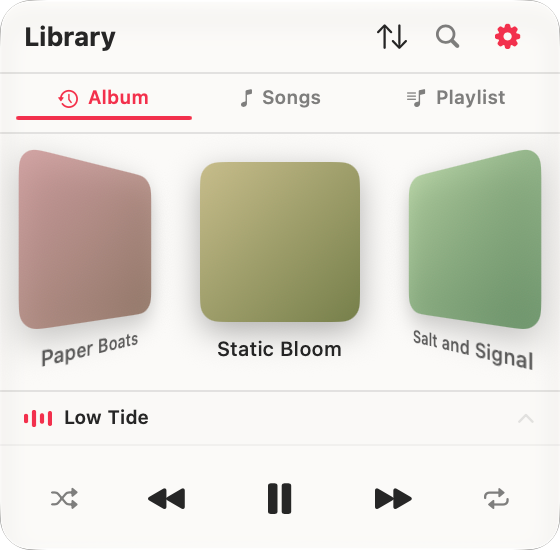
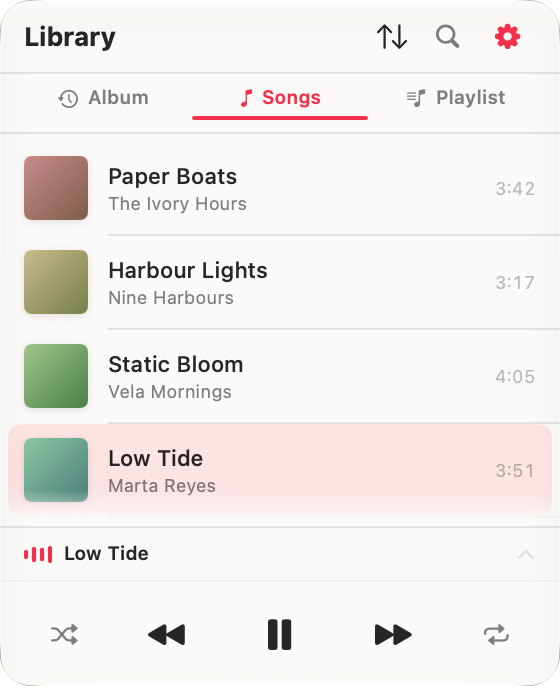
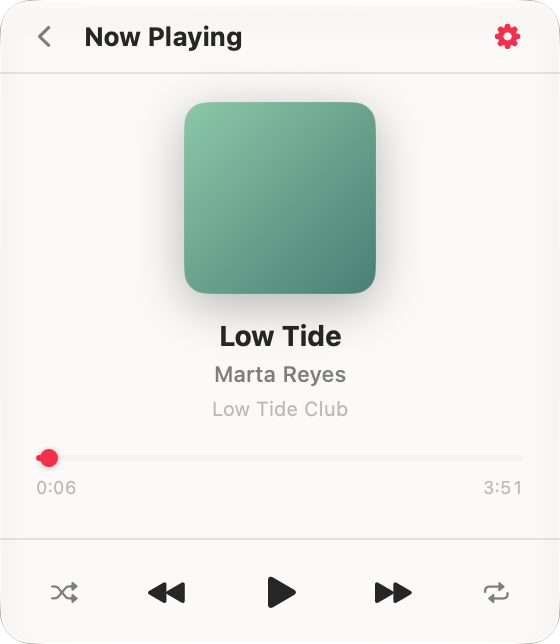
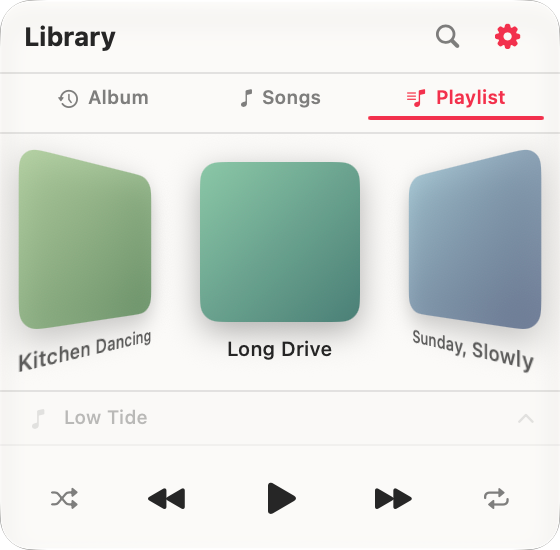
Cover Flow
Flip through your albums in a 3D carousel, the way iTunes used to work.
All your songs
Your whole Apple Music library in one list, sorted however you like. Pick a track and everything below it queues up automatically.
Now Playing
Full artwork, scrubbing, and playback controls right in the panel.
Playlists & pins
Your Apple Music playlists live in the same panel. Right-click any album or playlist to pin it to the top.
Simple settings
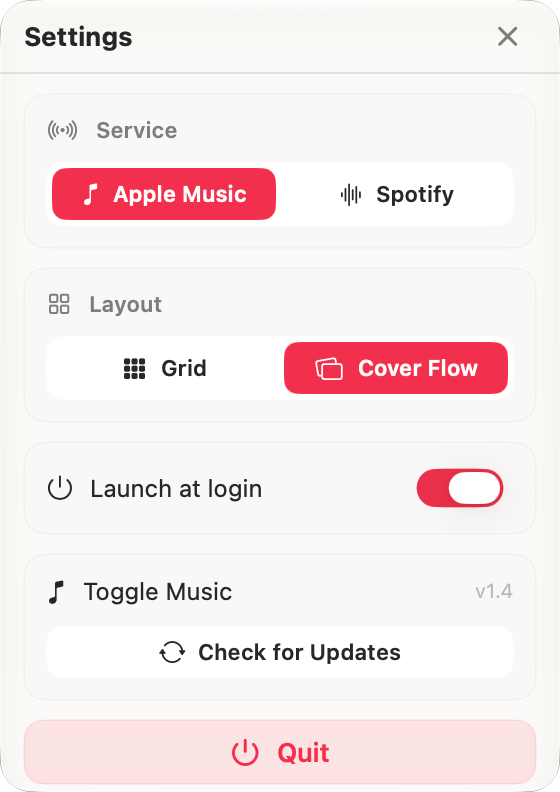
Switch between Apple Music and Spotify, pick Cover Flow or Grid, and set launch at login.
Instant search (Apple Music)
Start typing to filter your Apple Music songs, albums, and playlists by title or artist. Click a result to play.
Your own Up Next
Shift-click any track to play it next. Playback goes through Music.app, so Lossless and Spatial Audio stay intact.
Apple Music & Spotify
Switch between both in a click. On Spotify, Toggle Music controls your desktop app (Free or Premium) and builds a library from what you listen to.
Cover Flow or Grid
Not into 3D covers? Switch to a regular grid in one click. Works for albums and playlists.
Pin favorites
Right-click any album or playlist to keep it pinned at the top of your library.
Native Swift app
No Electron, no browser engine. Signed and notarized by Apple, with automatic updates inside the app.
Quick install.
Three steps and it's in your menu bar.
Download the DMG
Click Download, open the .dmg, and drag Toggle Music to your Applications folder.
Grab a license key
Get a key through Lemon Squeezy (starting at €0). It arrives by email in seconds. Paste it once to unlock.
Connect & play
Open Toggle Music, grant Apple Music access or open Spotify, and click the note icon in your menu bar.
Pay what you want.
No subscription, no Mac limit. Enter €0 or whatever you feel like leaving.
- Cover Flow, Grid, and full Songs list
- Up Next queue, Lossless & Spatial Audio
- Apple Music and Spotify (Free or Premium)
- Every Mac you own, free updates
Apple Silicon · macOS 14+ · 14-day refund if you paid
Questions.
The practical stuff.
Which music services work?
Apple Music and Spotify. Toggle Music is a companion player: it uses your existing library and account, it doesn’t stream music on its own.
Do I need Spotify Premium?
No. It works with both Free and Premium because it controls the Spotify desktop app already on your Mac.
Is Spotify the same as Apple Music?
No. Apple Music has the full library browser: Cover Flow, Grid, Songs list, search, playlists, queue, and pins, with Lossless and Spatial Audio through Music.app. On Spotify, Toggle Music controls playback and builds a history library from what you listen to; browsing and search stay in the Spotify app.
Which Macs are supported?
Any Apple Silicon Mac running macOS 14 (Sonoma) or later.
How does pay what you want work?
Download the app, then get a license key on Lemon Squeezy. The minimum is €0, so you can pay nothing or leave a tip if you find it useful. The key lands in your inbox in seconds.
How many Macs can I activate?
As many as you own. There is no activation limit.
Are updates free?
Yes. Updates download and install inside the app automatically.
Will macOS block it?
No. The app is signed with an Apple Developer ID and notarized by Apple, so it opens without Gatekeeper warnings.
What if I paid and change my mind?
Email besian@besianshala.com within 14 days and I’ll refund the full amount.
Get in touch.
Found a bug or have a question? Send a message below.
Or email besian@besianshala.com directly.